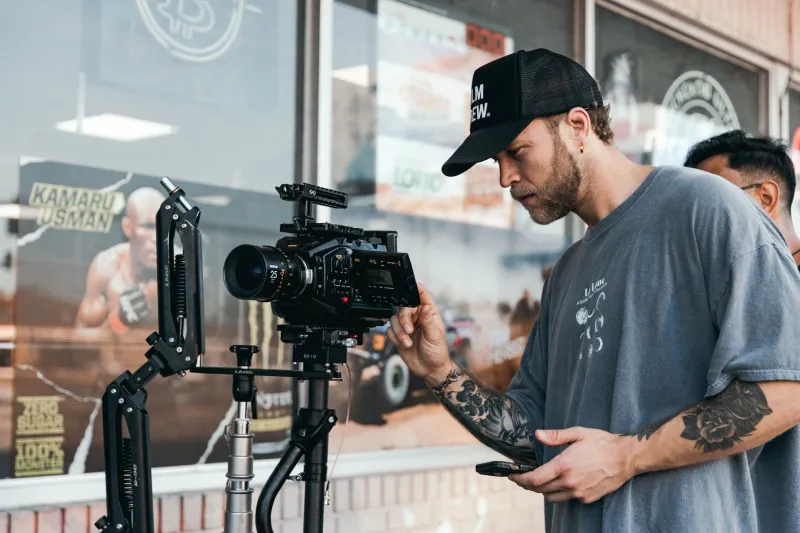
Shoot Once, Use Forever: How to Build a B-Roll Library That Actually Gets Used
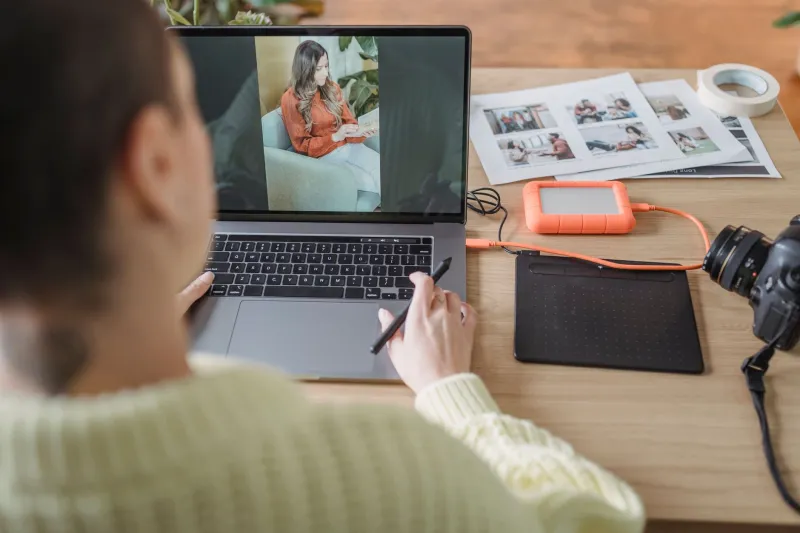
Here's a pattern that plays out constantly in solo creator workflows: you're deep in an edit, you need a shot of someone typing on a laptop, or a close-up of coffee being poured, or a wide establishing shot of a city street at golden hour — and you have nothing. So you either ship a cut that feels thin, or you schedule another shoot just to capture thirty seconds of footage.
Repeat this enough times and it starts to feel like you're always shooting and never editing. The creators who break out of this loop aren't working harder. They're working differently. They batch-shoot b-roll with intention, build a library of reusable clips, and then pull from that library across weeks and months of content. It's one of the highest-leverage habits in the game, and it costs almost nothing extra once you have the gear to do it.
Why Most Creators Never Build a Library
The problem isn't motivation — it's mindset. Most solo filmmakers shoot reactively. They show up, capture what they need for today's video, and move on. B-roll is treated as a garnish rather than an asset.
Pro production teams think about it completely differently. They know that generic b-roll — hands on a keyboard, product close-ups, lifestyle shots, environmental footage — gets reused constantly. Shooting it once and storing it well is dramatically more efficient than reshooting it for every project.
The shift is subtle but significant: stop thinking about b-roll as something you capture for a specific video, and start thinking about it as something you capture for your library.
What Actually Gets Reused (And What Doesn't)
Not all b-roll is created equal. Before you go out and shoot three hours of footage that sits untouched on a drive, it's worth knowing what clips actually pull weight across multiple projects.
High-reuse clips:
- Hands interacting with technology (typing, swiping, adjusting knobs)
- Product close-ups with clean, neutral backgrounds
- Environmental establishing shots (coffee shops, streets, workspaces)
- Abstract motion clips (bokeh lights, water, fabric texture)
- Lifestyle shots that feel timeless rather than trend-specific
- Gear and equipment B-roll (cameras, microphones, tripods in use)
Low-reuse clips:
- Shots that are too specific to a single topic or event
- Footage with visible branding that dates quickly
- Anything that requires a specific season or time of year
- Clips where your face or a recognizable person is the main subject
The goal is footage that's evergreen — clips you could drop into a video about productivity, a video about gear, or a video about creative workflow without it feeling out of place in any of them.
Structuring a Batch Shooting Session
A productive b-roll batch session doesn't need a full crew or a dedicated shooting day. An extra hour tacked onto a shoot you're already doing is often enough — if you're intentional about it.
Before you shoot: Pull up your last five video scripts or outlines. Identify every moment where you cut to b-roll. Write down the categories — not the specific shots, the categories. "Tech interaction," "creative workspace," "outdoor establishing." These are the gaps in your library.
During the session: Shoot each clip at least three ways — wide, medium, and tight. A shot of someone at a desk is more useful if you have the full-room wide, a medium over-the-shoulder, and a close-up of the hands. That's three different edit options from one setup.
Shoot more than you think you need. A two-second clip that perfectly captures something is worth capturing even if you can't immediately picture where it goes. The edit will find it.
After the shoot: Cull and organize immediately — not three weeks later when you've forgotten what you shot. Create a folder structure that mirrors how you think about content: by category, not by date. "Workspace," "Gear," "Lifestyle," "Abstract" will serve you far better than "June_Shoot_01."
The Gear Setup That Makes Batch Shooting Efficient
You don't need a second camera or a massive kit to batch-shoot effectively. What you need is a setup that lets you move fast without sacrificing quality.
A versatile zoom lens — something in the 24-70mm or 24-105mm range — is the workhorse for b-roll batch sessions. It lets you reframe quickly without changing glass. Pair it with a small, portable LED panel (something like a pocket-sized bi-color light) and you can create usable light in almost any indoor environment without setting up a full lighting rig.
A compact slider or a simple fluid head tripod gives you movement options without requiring an assistant. Even a six-inch slider move adds production value to an otherwise static close-up shot. For handheld b-roll, your gimbal (properly configured) handles walking shots and environmental footage that would look rough without stabilization.
Storage is the unsexy but critical piece. If you're building a b-roll library meant to last months, you need a real organizational system from day one. A fast external SSD for your working library and at least one backup copy — whether that's a second drive or cloud storage — is non-negotiable. Clips you've spent time capturing and organizing are genuinely valuable assets. Treat them like it.
Making the Library Actually Searchable
A b-roll library you can't search is almost as useless as not having one. When you're deep in an edit at midnight trying to find a specific type of shot, you need to be able to locate it in under a minute.
Tag every clip when you ingest it. Most NLEs — Premiere Pro, Final Cut, DaVinci Resolve — have keyword or tag systems built in. Use them. At minimum, tag each clip with: content category, primary subject, mood/color tone, and whether it contains motion or is static.
Some creators use a simple spreadsheet alongside their drive — a running log of clip descriptions, file locations, and tags. Low-tech, but it works and it's searchable from anywhere.
The Compounding Return
Here's what happens when you commit to this system for ninety days: your edit time drops noticeably. The mental load of "I need b-roll for this section" stops being a problem that requires a new shoot and starts being a problem you solve by opening a folder.
More importantly, your content quality becomes more consistent. The videos you shoot quickly — the ones where you're working fast and don't have time to capture everything you need — still look complete because your library fills the gaps.
Shoot with the library in mind. Capture more than you need. Organize it like it matters. Because it does.