Your Color Grade Isn't the Problem — Your Monitor Is
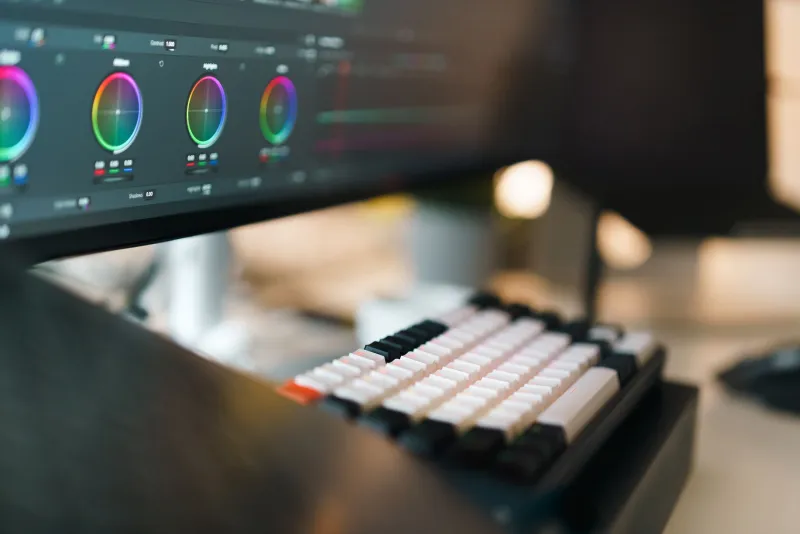
You spent hours in DaVinci Resolve. You pushed the shadows, lifted the highlights, dialed in your skin tones. You exported the file, uploaded it to YouTube, and then watched it on your phone — and it looked completely different. Too dark. Too green. Somehow both flat and oversaturated at the same time.
So you went back and tweaked it again. And again. And now you've got seventeen versions of the same grade and none of them look right anywhere except your editing setup.
Here's the thing nobody told you: the problem probably isn't your skill. It's your screen.
Why Your Monitor Is Quietly Wrecking Your Grades
Most budget monitors — the kind that come bundled with desktop setups or get picked up for under $150 at a big box store — are built for general use. Gaming, spreadsheets, browsing. They're not built to show you accurate color. They're built to look good in a brightly lit showroom.
That means they often boost saturation to make images pop, crush blacks to look punchy, and shift certain hues (usually reds and blues) in ways that feel imperceptible until you see your footage somewhere else. When you're grading on a screen like that, you're essentially correcting for a problem that doesn't exist everywhere else. You're chasing a ghost.
The result? You under-saturate because your monitor is already making colors look too loud. You pull down the blacks because your display is hiding shadow detail. You export something that looks perfect on your desk and completely wrong on every other device your viewers are using.
The Trap Most Creators Fall Into
There are two failure modes here, and both are expensive in different ways.
The first is over-correction. You keep adjusting because something always looks off, and you end up with footage that swings between oversaturated and muddy depending on which round of edits you're looking at. You burn time. You second-guess yourself. You start blaming your camera, your lens, your log profile.
The second is giving up entirely. A lot of creators just stop grading because "it never looks right anyway." They shoot in a standard picture profile, skip the color work, and leave a ton of visual quality on the table because the feedback loop between their monitor and their grade is completely broken.
Both of these outcomes come from the same root cause: working blind.
What "Color Accurate" Actually Means
When gear reviewers or colorists talk about color accuracy, they're usually referring to a few specific things: color gamut coverage (how wide a range of colors the display can reproduce), Delta E scores (how precisely it hits target colors), and whether the panel has been factory calibrated or supports hardware calibration.
For video work, you want a monitor that covers at least 99% of the sRGB color space, and ideally hits 95% or more of the DCI-P3 gamut if you're delivering for any kind of cinematic or streaming platform. You also want a panel that doesn't shift color temperature dramatically based on viewing angle — which rules out most cheap TN panels immediately.
IPS panels are generally the baseline for color work. They're not perfect, but they're far more consistent than TN alternatives and widely available at reasonable price points.
Monitors That Actually Deliver Without Breaking the Bank
You don't need a $3,000 reference monitor to get your grades right. The gap between a bad display and a good-enough display is not that wide financially — but it makes an enormous practical difference.
In the $200–$400 range, there are solid options from brands like ASUS (their ProArt line), BenQ (the SW series), and Dell (the UltraSharp lineup) that offer factory-calibrated IPS panels with solid color gamut coverage and decent Delta E scores. These aren't broadcast reference monitors, but they're accurate enough that what you're seeing is a reliable representation of what everyone else will see.
If you're doing a lot of work in log formats like S-Log, C-Log, or BRAW, it's also worth looking at monitors that support LUT loading directly on the hardware side. Being able to push a monitoring LUT to your display so you're always viewing a converted image — rather than a flat, washed-out log signal — changes the grading experience completely.
For field use or as a secondary reference, small external monitors like the Atomos Shinobi or the Feelworld LUT7S give you a calibrated display that you can use both on set and back at your desk, which is a legitimately smart dual-purpose buy.
The Calibration Piece
Even a decent monitor can drift over time. Backlights age. Color temperature shifts. What was accurate six months ago might be pulling warm now without you realizing it.
If you're serious about your color work, a hardware calibration device — something like a Datacolor Spyder or an X-Rite i1Display — is worth adding to your kit. They run between $100 and $200 and let you build a custom ICC profile for your specific monitor. It's a one-time investment that keeps your display honest and gives you genuine confidence that what you're seeing is what you're delivering.
The Bigger Picture for Your Workflow
Here's the honest takeaway: you can have the best camera, the cleanest log footage, and the most powerful grading software on the market — and still end up with bad-looking content if the display in the middle of that chain is lying to you.
The monitor is the one piece of gear that touches every single frame you edit. It's not glamorous. Nobody's posting unboxing videos about their new IPS display. But it's arguably the most impactful piece of equipment in your editing setup, and it's consistently the most overlooked.
Before you buy another plugin, another LUT pack, or another piece of software promising to fix your color — take a hard look at what you're actually looking at. That's where the real upgrade is hiding.