The Gear Nobody Warns You About: Why Your Audio Interface Is Costing You Listeners
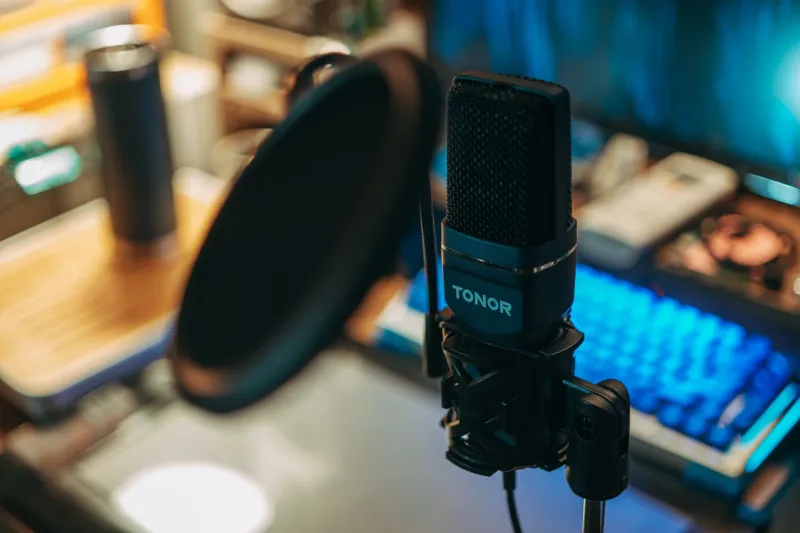
You researched for weeks. You watched every YouTube comparison video, read every Reddit thread, and finally pulled the trigger on a microphone that cost you a couple hundred bucks. You plug it in, hit record, and... it still sounds like you're talking into a soup can in a college dorm room.
Here's the uncomfortable truth: the microphone was never your biggest problem.
The audio interface — that unassuming little box sitting between your mic and your computer — is doing more to shape your sound than almost any other piece of gear in your setup. And most creators completely ignore it.
What an Audio Interface Actually Does (And Why It Matters)
At its most basic level, an audio interface converts the analog signal coming out of your microphone into a digital signal your computer can record. Simple enough, right? But the quality of that conversion is where everything diverges.
A cheap, low-grade interface introduces noise into the signal chain. It clips when you get excited and talk too loud. It adds latency that throws off your timing when you're monitoring yourself. And the preamps — the internal amplifiers that boost your mic's signal to a recordable level — can make even a $400 microphone sound thin, harsh, or muddy.
Think of it this way: you wouldn't shoot 4K video and then export it through a broken codec. The interface is the codec for your audio. It either preserves what your mic captures or quietly destroys it.
The Most Common Mistakes Creators Make With Their Interface
Buying the cheapest option without reading specs. Budget interfaces in the $30–$50 range often have preamps with a high noise floor — measured in EIN (equivalent input noise). The lower the EIN number, the cleaner the signal. Anything above -128 dBu starts to become a real problem, especially if you're using dynamic mics that need a lot of gain.
Ignoring gain staging. Even a solid interface sounds terrible if you're running your gain too hot or too low. Too high and you get distortion. Too low and you crank the gain in post-production, which amplifies every bit of background noise along with your voice. Learn your interface's gain sweet spot — most good ones have a clip indicator for exactly this reason.
Skipping phantom power considerations. Condenser microphones need 48V phantom power to operate. Most interfaces provide it, but some cheaper models deliver inconsistent phantom power that causes condenser mics to perform below spec. If you're using a condenser and your recordings sound weak or noisy, your interface's phantom power delivery might be the culprit.
Using a USB mic AND an interface. This one's more of a setup error than a gear error, but it's worth mentioning. USB microphones have their own built-in interface, which means plugging them into a standalone audio interface doesn't work the way you'd expect. If you want to use a dedicated interface, you need an XLR microphone — full stop.
Matching Your Interface to Your Use Case
Not every creator needs the same thing. Here's a practical breakdown by use case.
Podcasting and Voiceovers
For solo podcasters and voiceover artists, a single-channel or two-channel interface with clean preamps is the move. You don't need a lot of inputs — you need quiet, transparent gain and reliable headphone monitoring so you can catch problems in real time. Look for interfaces in the $100–$200 range from brands like Focusrite, Universal Audio, or PreSonus. The Focusrite Scarlett Solo and the PreSonus AudioBox USB 96 are both solid entry points that punch well above their price.
If you're doing interviews or co-hosted shows, bump up to a two-channel interface so both hosts can plug in simultaneously without running through a mixer first.
Live Streaming
Streaming introduces a different set of demands. Latency becomes critical — you need near-zero-latency monitoring so your voice stays in sync with your stream. Some interfaces handle this with dedicated direct monitoring features that bypass your computer entirely, feeding your mic signal straight to your headphones. Look for interfaces with low-latency drivers and solid software mixer integration. The GoXLR Mini is a popular choice in the streaming community specifically because it bundles routing controls that make sense for OBS and Streamlabs workflows.
Music Production
If you're producing music alongside your content creation — beat-making, original scores, acoustic performances — you'll want an interface with more headroom and potentially more inputs. Two-in, two-out is fine for solo work, but if you're recording multiple instruments or layering live takes, a four-channel interface opens up your options considerably. At this level, preamp quality becomes even more important. Universal Audio's Volt series offers genuine analog character in the preamps at a price point that doesn't require a second mortgage.
What to Look for When You're Shopping
Here's a quick checklist to run through before you buy:
- Preamp quality and EIN rating — aim for -128 dBu or lower
- Sample rate and bit depth — 24-bit/48kHz is the minimum for professional-sounding audio; 96kHz is nice to have for music production
- Number of inputs — be honest about how many mics or instruments you'll actually run simultaneously
- Phantom power reliability — especially important for condenser mic users
- Driver stability — check reviews specifically for the operating system you're on; some interfaces have notoriously flaky Windows drivers
- Headphone output quality — if you monitor through headphones (and you should), the headphone amp in your interface matters
- Bus-powered vs. wall-powered — bus-powered interfaces draw power from USB, which is convenient but can occasionally cause issues on older machines or crowded USB hubs
The Budget Breakdown
Under $100: You're in entry-level territory. The Focusrite Scarlett Solo (3rd or 4th gen) and the Behringer UMC22 live here. Perfectly usable for starting out, but you'll feel the ceiling.
$100–$250: This is the sweet spot for most independent creators. You get noticeably better preamps, more reliable phantom power, and improved headphone monitoring. The Focusrite Scarlett 2i2, PreSonus Studio 24c, and Universal Audio Volt 2 all live in this range.
$250–$500: Prosumer territory. You're looking at interfaces with better AD/DA converters, lower noise floors, and features that start to make sense for semi-professional work. The SSL 2+ and the Audient iD14 mkII are favorites at this tier.
$500+: Professional-grade. If you're doing client work, scoring, or running a serious production operation, the investment makes sense. Universal Audio's Apollo Solo and the RME Babyface Pro FS are benchmarks here.
The Bottom Line
Your microphone is the face of your audio setup, but your interface is the foundation it's built on. Skimping on the interface and blaming your mic is like buying a great camera lens and running it through a body with a broken sensor — the weak link determines the final result.
Before you upgrade your microphone again, take a hard look at what it's plugged into. You might find that the upgrade you've been chasing was sitting right there on your desk the whole time, just waiting to be swapped out for something that actually does the job right.