The Cable Chaos Tax: How Bad Connectors Are Quietly Destroying Your Video Setup
You've got a solid camera. A decent mic. Maybe even a monitor that doesn't lie to you about color. And yet — something keeps going wrong. The signal drops mid-record. The audio sounds thin and weird. Your external monitor flickers like it's haunted. Your laptop refuses to recognize the drive that worked fine yesterday.
Nine times out of ten, the culprit isn't the gear. It's what's connecting the gear.
Cables and connectors are the unglamorous backbone of every video setup, and they get almost zero attention until something breaks. But here's the reality: bad connections don't just fail dramatically. They fail quietly. They degrade your signal, drop frames you'll never get back, and introduce noise into your audio that no plugin will fully fix. Let's talk about where the real problems live — and how to stop paying the cable chaos tax.
HDMI: Not All Versions Are the Same, and It Actually Matters
HDMI looks like HDMI. One end goes in, the other end goes out — how complicated can it be? Pretty complicated, it turns out.
HDMI 1.4, 2.0, and 2.1 are not interchangeable in practice, even if the ports look identical. If you're running a 4K signal from your camera to an external recorder or monitor, you need at least HDMI 2.0. Running HDMI 1.4 into a setup expecting 2.0 bandwidth? You might get a signal, but you'll likely get dropped resolution, color compression artifacts, or an outright refusal to handshake depending on the devices involved.
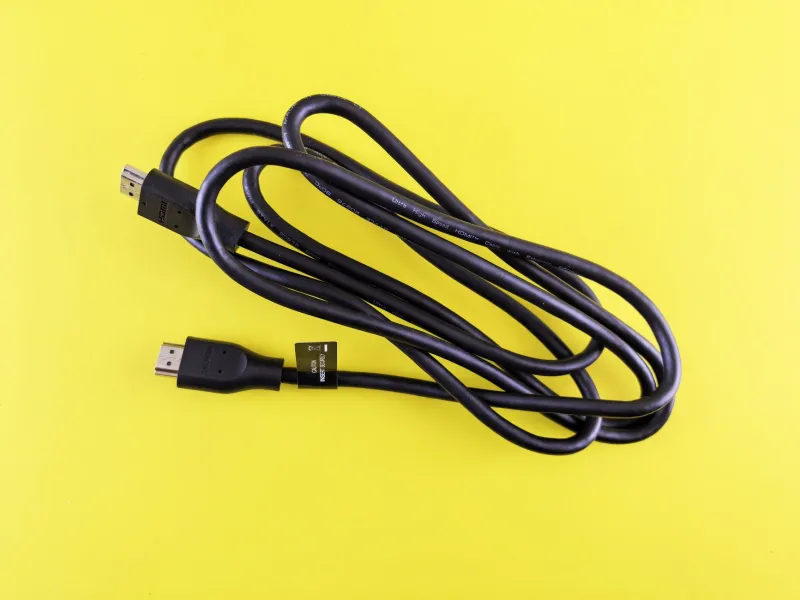
For most mirrorless shooters using an external monitor on a run-and-gun rig, a quality HDMI 2.0 cable in the 12-18 inch range is the sweet spot. Long HDMI runs are where things get dicey — passive HDMI cables beyond about 15 feet start losing signal integrity. If you're doing any kind of studio work with longer cable runs to a monitor or capture card, look at active HDMI cables or fiber HDMI options. Yes, they cost more. Yes, they're worth it.
Also: micro-HDMI and mini-HDMI ports on cameras are fragile. Treat them like they'll break if you look at them wrong, because they basically will. A right-angle adapter at the camera end takes pressure off that port and extends its lifespan considerably.
XLR vs. USB: The Audio Connection Argument That Actually Has a Right Answer
This debate comes up constantly, and the answer depends entirely on what you're trying to do.
USB microphones are convenient. They're plug-and-play, they work directly with a laptop, and for solo podcast setups or simple voiceover work, they're genuinely fine. But USB audio has a ceiling. You're locked into the mic's built-in preamp and converter, you typically can't run two USB mics without sync headaches, and you're tethering yourself to a computer.
XLR is a different animal. The connector itself is a balanced audio connection, which means it actively rejects electromagnetic interference over cable runs — critical if you're shooting near lighting rigs, wireless gear, or anything that radiates RF noise. XLR into a proper audio interface or mixer gives you control over gain, the ability to run phantom power for condenser mics, and the flexibility to build out a real multi-input audio chain.
If you're a creator doing serious video work — interviews, documentary-style content, narrative filmmaking — XLR is the move. The cables are also built to last. A quality XLR cable with solid Neutrik connectors will outlive most of your other gear. Don't cheap out on the connectors themselves; the barrel and locking mechanism on a budget XLR cable will eventually fail, usually at the worst possible moment.
For USB, the cable quality matters less than people think, but cable length matters a lot. Keep USB mic runs short. Long USB cable runs introduce latency and signal degradation. If you need distance, use an active USB extension, not a passive one.
USB-C: The Wild West of Modern Connectivity
USB-C is simultaneously the best and most confusing connector in modern video production. The port looks the same whether it supports USB 2.0 speeds or Thunderbolt 4. That matters enormously when you're pulling footage off a high-speed CFexpress card reader or running video signal through a hub.
Here's the practical breakdown:
- USB 3.2 Gen 2 (10Gbps) is the minimum you want for fast card readers and external SSDs used in editing workflows.
- Thunderbolt 3 or 4 cables and ports are what you need for daisy-chaining monitors, high-speed storage, and capture cards simultaneously without bottlenecking your system.
- USB-C to HDMI adapters are notoriously inconsistent. Some work flawlessly. Others introduce signal noise, limit resolution, or fail to pass HDR metadata correctly. Buy from brands that explicitly list compatibility with your specific device rather than grabbing the cheapest option on Amazon.
The real trap with USB-C is the hub. Multi-port USB-C hubs are incredibly useful until they're not. Cheap hubs share bandwidth across all ports, meaning your external SSD, your capture card, and your SD card reader are all fighting over the same pipe. If you're editing off an external drive while also monitoring through a USB-C connection, invest in a hub that explicitly supports simultaneous full-speed operation across ports. It'll cost more. It'll also stop making you want to throw your laptop out a window.
The Adapters You Actually Need (And the Ones You Can Skip)
Adapter creep is real. Every creator ends up with a bag of dongles and adapters that seemed necessary at purchase and now just contribute to cable chaos. Here's a practical filter:
Worth having:
- Right-angle micro/mini-HDMI adapters (protects camera ports)
- A quality USB-C to USB-A adapter for legacy peripherals
- A 3.5mm TRS to TRRS adapter if you're using a camera mic input with a smartphone-style headset mic
- A female XLR to 3.5mm TRS adapter for running a lav mic into a camera body without a dedicated audio recorder
Usually not worth it:
- Generic HDMI signal boosters that claim to extend runs without active components
- No-name USB-C hubs with no bandwidth specs listed
- Cheap 3.5mm extension cables (they pick up noise, especially near power sources)
- HDMI to SDI adapters unless you're genuinely working in a broadcast or live production environment
The Framework: Where to Spend, Where to Save
Not every cable needs to be a premium purchase. Here's the honest breakdown:
Spend more on: HDMI cables carrying 4K signal, XLR cables in active use (especially with phantom power), and any USB-C cable handling Thunderbolt or high-speed data. These are connections where quality directly impacts signal integrity and reliability.
Save on: HDMI cables used for monitoring only (not recording), USB-A to USB-B cables for things like MIDI controllers, and short patch cables in a controlled studio environment where cable movement is minimal.
The common thread is signal sensitivity. Audio and video signals are more vulnerable to degradation than power or basic data. Treat them accordingly.
Your camera is only as good as what it's connected to. A $2,000 mirrorless body pumping signal through a $4 HDMI cable to an external recorder is a setup waiting to fail at the worst possible moment. Cables aren't the exciting part of building a kit, but they're the connective tissue that either holds everything together or lets it fall apart.
Stop treating them like an afterthought.