Dead Battery, Dead Shoot: How to Actually Calculate How Much Power You Need
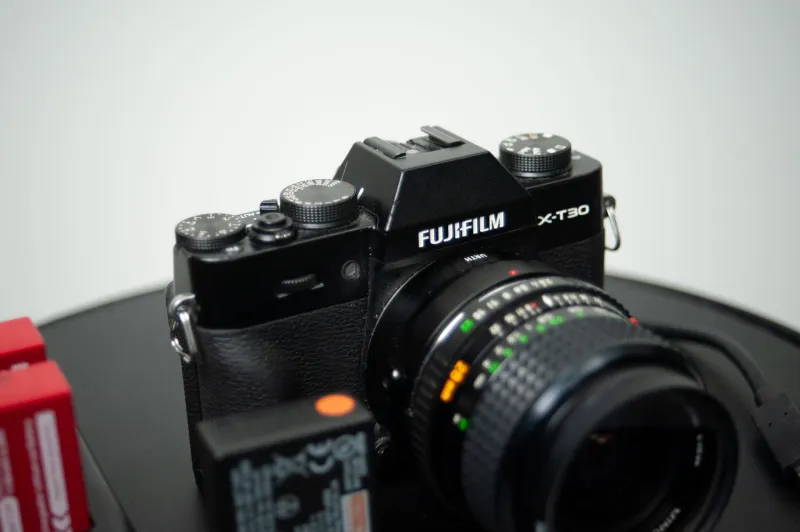
Every camera manufacturer plays the same game. They slap a number on the box — 400 shots, 90 minutes of video, whatever — and you buy the camera thinking you're covered. Then you head out for a full-day shoot, and by early afternoon you're scrambling through your bag hoping you remembered to charge that backup.
You didn't. Nobody told you to. And honestly, nobody talks about this stuff nearly enough.
Battery planning is one of the least glamorous parts of building a creator setup, but it's also one of the most important. Get it wrong and it doesn't matter how good your lens is or how dialed in your color profile is — your footage stops when the power does.
Let's fix that.
Why the Spec Sheet Is Basically Fiction
Camera manufacturers use CIPA standards to measure battery life. CIPA — the Camera & Imaging Products Association — has a standardized test protocol that involves taking a photo every 30 seconds, half the time with flash, in controlled indoor conditions. It's designed to be consistent across brands, not to reflect how you actually shoot.
If you're a video creator, those numbers are almost meaningless. Continuous video recording chews through a battery at a completely different rate than snapping stills every 30 seconds. A camera rated for 400 shots might only give you 60 to 90 minutes of 4K video recording — sometimes less.
And that gap gets even wider depending on what features you're running.
The Features That Secretly Drain Everything
Your battery isn't just powering the sensor. It's powering everything running at the same time, and some of those things are real power hogs.
Stabilization — In-body image stabilization (IBIS) is incredible for handheld shooting, but it draws a constant load. Some mirrorless cameras with aggressive IBIS systems can see 15 to 20 percent shorter runtimes compared to shooting with it disabled.
Electronic viewfinder — EVFs look great and are genuinely useful, but they use more power than an optical viewfinder. Flipping to the rear LCD when you can saves more than you'd think.
Wi-Fi and Bluetooth — Keeping wireless features active while you shoot is a quiet battery killer. If you're not actively using them, turn them off.
4K vs. 1080p — Higher resolution video means the processor is working harder, which means more heat and more draw. Shooting 4K 60fps versus 1080p 24fps can cut your runtime nearly in half on some cameras.
Screen brightness — Cranking your LCD to max outdoors is understandable, but it's expensive in terms of battery. Even dialing back one or two notches adds up over a long shoot.
Cold Weather Is a Whole Other Problem
If you shoot outdoors in fall or winter — weddings, sports, nature content, street work — you need to understand how temperature affects lithium-ion batteries, because the drop-off is severe.
Lithium-ion batteries lose capacity as temperatures fall. At around 32°F (0°C), you can expect to lose 20 to 30 percent of your rated capacity. Drop below that and it gets worse fast. The battery isn't broken — it recovers when it warms up — but in the middle of a cold-weather shoot, it might as well be dead.
The fix is simple but requires planning: keep spare batteries in an inside jacket pocket close to your body. Rotate them out as you shoot. A warm battery going into a cold camera will outperform a cold battery every single time.
Building Your Personal Battery Budget
Here's a framework that actually works. Before any shoot, ask yourself three questions:
How long am I shooting? Not how long you plan to be on location — how long the camera will actually be running. There's a difference between a 6-hour wedding day and 6 hours of continuous recording.
What mode am I primarily in? Stills, video, or mixed? Video is the most demanding. If you're doing hybrid shooting, assume video-level drain to be safe.
What are the conditions? Indoors in a climate-controlled venue? You're probably fine with the standard math. Outdoors in January in Chicago? Add a 30 percent buffer minimum.
Once you have those answers, here's a rough guide for a common mirrorless camera with a standard battery:
- Stills shooting (moderate pace): Plan for about 60 to 90 minutes of active shooting per charge
- 1080p video: Plan for about 60 to 75 minutes per charge
- 4K video: Plan for 45 to 60 minutes per charge
- 4K with IBIS and EVF active: Plan for 35 to 50 minutes per charge
From there, do the math. If you're doing a 4-hour video-heavy shoot in moderate weather, you're looking at 4 to 6 batteries to be safe — not the one or two that came in the box.
The Gear You Need to Actually Stay Powered
Extra OEM or quality third-party batteries — Always have at least twice what you think you need. OEM batteries are reliable but expensive. Quality third-party options (brands like Wasabi Power, Kastar, and Powerextra) have improved significantly and can cut your cost per battery in half. Just buy from reputable sellers and avoid the rock-bottom no-name packs.
A multi-battery charger — Single-slot chargers are painfully slow when you're trying to cycle through four or five batteries overnight. A dual or quad charger changes your life.
USB-C charging support — Many newer cameras support charging via USB-C. A quality power bank can keep you topped off between setups without pulling a battery at all. If your camera supports it, this is a game-changer for run-and-gun shooting.
A battery grip — For cameras that support them, a battery grip doubles your capacity and adds a more ergonomic hold for vertical shooting. If you're doing long video sessions, it's worth serious consideration.
The Mindset Shift That Actually Solves This
Stop thinking of batteries as an afterthought. They're part of your kit the same way your lenses and memory cards are. A dead battery at the wrong moment doesn't just cost you footage — it can cost you a client, a once-in-a-lifetime shot, or hours of re-setup time.
The creators who never stress about power aren't lucky. They've just built battery planning into their prep routine the same way they check their SD cards and charge their audio recorders the night before.
Figure out your real-world runtime. Build in a buffer. Carry more than you think you need. Keep them warm when it's cold.
It's not exciting advice. But it's the kind of thing that separates creators who consistently deliver from the ones who are always scrambling. Gear up, plan it out, and keep rolling.