One Drive Is Not a Backup: The Creator's Guide to Storage That Actually Protects Your Work
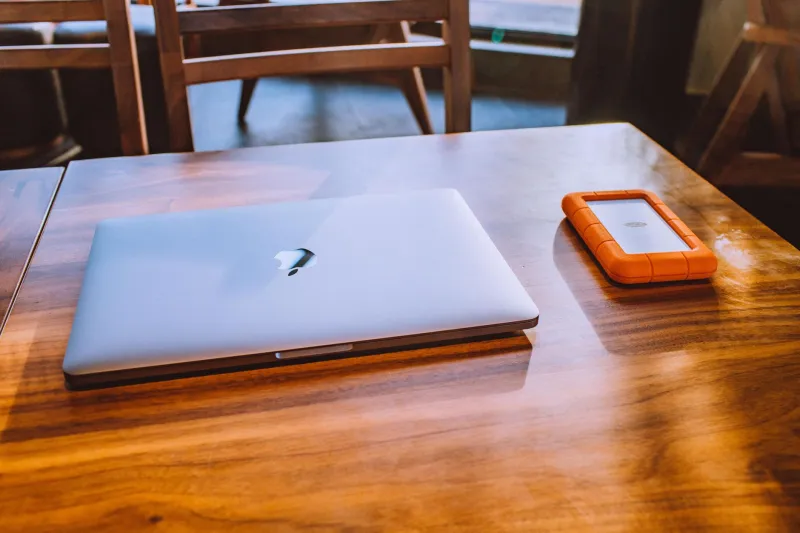
Let's skip the horror story preamble. You already know someone — a YouTuber, a wedding videographer, a friend who shoots weddings on the side — who lost everything when a drive failed. Maybe it happened to you. Either way, the lesson rarely sticks until it's too late.
Here's the uncomfortable truth most creators won't say out loud: owning an external hard drive doesn't mean you have a backup. It means you have a copy. One copy. And one copy is just a single point of failure waiting for the worst possible moment to reveal itself.
If you're serious about your content — whether you're a full-time filmmaker, a weekend travel shooter, or somewhere in between — your storage setup deserves the same attention you give your glass and your lighting.
Why External Drives Alone Will Eventually Let You Down
External hard drives are cheap, portable, and genuinely useful. They're also mechanical devices with spinning platters that fail at an average rate somewhere between 1% and 5% annually, depending on the brand and use pattern. Bump one while it's spinning, leave it in a hot car, or just get unlucky with a bad batch, and years of footage can disappear in an afternoon.
The problem isn't that people use external drives — it's that they only use external drives. One drive per project, maybe organized by year, all sitting on a shelf or rattling around in a gear bag. That's not a strategy. That's a gamble.
And SSDs, while faster and more durable for travel, aren't immune either. They're less susceptible to physical shock but can fail silently without warning, sometimes taking your data with them before any error message shows up.
The 3-2-1 Rule: Simple, Effective, and Widely Ignored
Professional archivists and IT departments have used the 3-2-1 rule for decades, and it translates directly to video production:
- 3 copies of your data
- 2 different types of storage media
- 1 copy stored off-site
For a creator, this might look like: your working files on a fast desktop SSD, a full backup on an external hard drive at home, and a second backup either in cloud storage or physically stored somewhere else — a friend's place, your office, a safety deposit box if you're shooting commercial work worth protecting.
This isn't overkill. This is the baseline.
RAID Setups: More Protection Than You Think, More Complexity Than You Expect
RAID (Redundant Array of Independent Disks) sounds intimidating, but the concept is straightforward. You combine multiple drives so that if one fails, your data survives on the others. A RAID 1 setup mirrors your data across two drives simultaneously. A RAID 5 setup spreads data across three or more drives with built-in redundancy.
For creators who shoot high volumes — wedding teams, documentary filmmakers, commercial production companies — a NAS (Network Attached Storage) device running RAID is a legitimate game changer. Brands like Synology and QNAP make consumer-to-prosumer NAS units that connect to your home network and can house multiple drives in a single enclosure. You can access your footage from any device on the network, automate backups, and sleep better knowing a single drive failure won't wipe out a client's wedding film.
The tradeoff? Setup takes some patience, and you'll spend a few hundred to over a thousand dollars depending on the enclosure and drives you choose. But compared to the cost of re-shooting footage you've lost — or worse, explaining to a client why their footage is gone — the math gets easy fast.
One important caveat: RAID is not a backup. It protects against drive failure, not against accidental deletion, ransomware, or your house flooding. You still need an off-site copy.
Cloud Backup: Real Insurance, Not a Complete Solution
Cloud storage has gotten dramatically more affordable over the last several years. Services like Backblaze B2, Amazon S3, and even the consumer-friendly Backblaze Personal Backup offer solid options for creators who want an off-site safety net.
Backblaze Personal Backup, for example, runs around $9 a month and backs up unlimited data from a single computer. For raw footage workflows where you're pulling everything back to a desktop or laptop, that's genuinely compelling value.
The catch with cloud backup is speed — both directions. Uploading 500GB of 4K footage takes time, and if you ever need to restore a large archive, you're either waiting days for a download or paying for a physical hard drive to be mailed to you (Backblaze actually offers this). Cloud backup is excellent insurance, but it's a slow-moving safety net, not an active working solution.
For most creators, cloud works best as the off-site component of your 3-2-1 strategy, not as your primary or only backup layer.
The Hybrid Approach: How Working Pros Actually Do It
The setup that makes the most sense for the majority of serious creators combines local redundancy with cloud backup:
- Fast local SSD for active editing and current projects
- External HDD or NAS as your primary local backup — ideally automated with software like Carbon Copy Cloner (Mac) or Macrium Reflect (Windows)
- Cloud service running continuously in the background, syncing your completed projects and archives off-site
This hybrid approach keeps your workflow fast, your data redundant, and your most important files protected even if your entire physical workspace is compromised.
As your output grows, the NAS tier becomes more valuable. A two-bay NAS with a pair of 4TB drives in RAID 1 gives you 4TB of protected local storage for around $300–$500 all in. That scales — add more drives, upgrade to a four-bay unit — without rebuilding your whole system.
What to Actually Buy Right Now
If you're starting from scratch or patching holes in a weak setup, here's a practical starting point:
- Immediate step: Add a second external hard drive and start mirroring your existing backup drive manually. Not perfect, but better than nothing.
- Short-term: Set up a cloud backup service. Backblaze is the easiest entry point for most US-based creators.
- Medium-term: Invest in a two-bay NAS if you're shooting regularly. Synology's DS223 is a solid entry-level option that punches above its price.
- Ongoing: Label your drives clearly, audit your backup status monthly, and actually test a restore at least once a year. A backup you've never tested is a backup you can't trust.
The Gear You Don't Think About Until It's Too Late
At ShopCamV, we spend a lot of time talking about cameras, lenses, and lighting — and rightfully so. But the storage infrastructure behind your workflow is just as mission-critical as the gear in front of your subject. The camera captures the moment. Your storage strategy determines whether that moment survives.
Don't be the creator who learns this the hard way. Build the system now, while you still have everything to protect.